

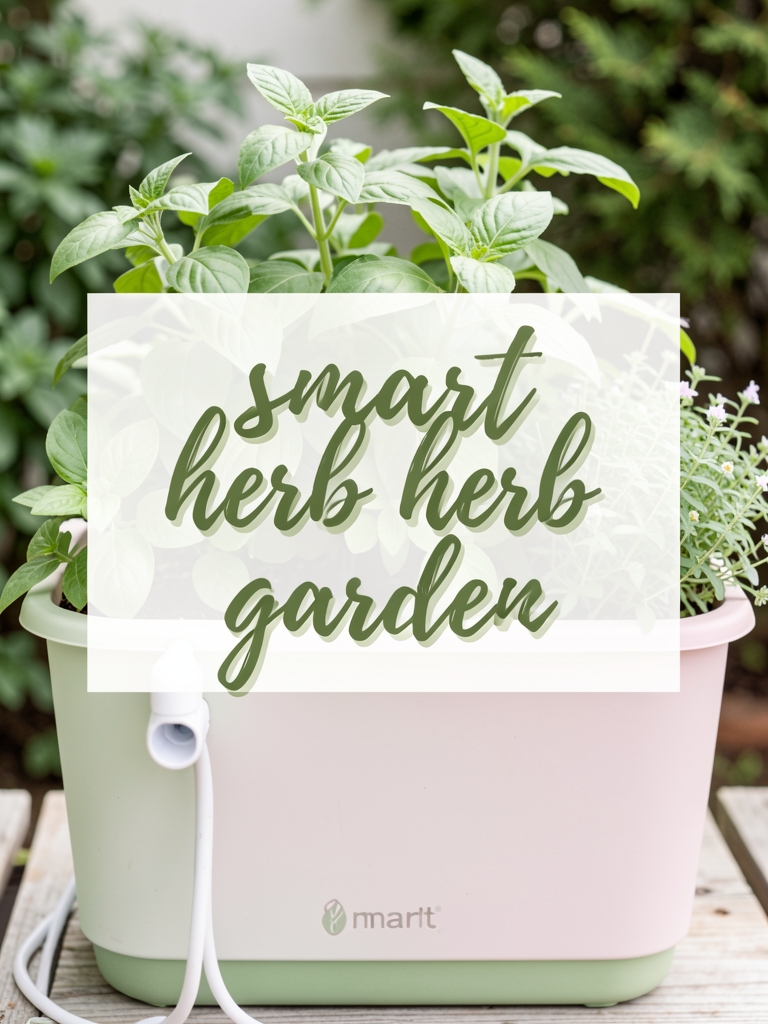
Welcome to the world of modern gardening! If you’re just starting out, the idea of using technology in the garden might seem a bit intimidating, but Smart Gardening Tools for Beginners can make your first planting season smoother, more rewarding, and even a little fun. In this guide, we’ll walk you through the essential smart tools, explain how they work, and share practical tips to help you avoid common pitfalls. By the end, you’ll feel confident selecting and using the right gadgets to boost your garden’s health and productivity.
Why Choose Smart Gardening Tools?
Smart gardening tools combine sensors, connectivity, and data analysis to give you real‑time insights about soil, water, light, and plant health. For beginners, these tools act like a personal gardening coach, reducing guesswork and helping you make decisions backed by data rather than intuition alone.
Key Benefits
- Time Savings: Automatic alerts let you know exactly when to water, fertilize, or adjust lighting.
- Resource Efficiency: Precise irrigation and nutrient delivery cut down on waste.
- Improved Plant Health: Early detection of stress factors (like low moisture or temperature spikes) helps prevent problems before they spread.
- Learning Curve: Data logs let you see patterns over weeks and months, turning every season into a learning experience.
Essential Smart Tools for Beginners
1. Soil Moisture Sensors
These compact devices plug into a smartphone app and measure the water content in your soil. Look for sensors that offer:
- Bluetooth or Wi‑Fi connectivity for easy setup.
- Adjustable alert thresholds (e.g., “notify me when moisture drops below 30%”).
- Battery life of at least 6 months.
Popular models like the Ecowitt WH51 or PlantLink provide visual graphs that show moisture trends, helping you fine‑tune watering schedules.
2. Smart Watering Controllers
These devices connect to your garden’s irrigation system and use data from moisture sensors, weather forecasts, and plant type settings to automate watering. When choosing one, consider:
- Integration with existing sprinkler heads or drip lines.
- Compatibility with voice assistants (e.g., Alexa, Google Assistant) for hands‑free control.
- Seasonal scheduling features that pause water during rain.
Models such as the Rachio 3 or Orbit B-hyve have intuitive apps that let you adjust zones and view water usage statistics.
3. Light Meters & Smart Grow Lights
For indoor or shaded garden spaces, a light meter helps you gauge whether plants receive enough photosynthetically active radiation (PAR). Pair this with smart LED grow lights that adjust intensity based on the meter’s readings. Look for:
- Adjustable spectrum settings (e.g., “vegetative” vs. “flowering”).
- Timer functions synced with sunrise/sunset data.
- Energy‑efficient LEDs (minimum 2.5 µmol/J).
Products like the Philips Hue White & Color Ambiance (used with a light meter app) provide a budget‑friendly entry point.
4. Plant Health Monitors
These all‑in‑one devices attach to a plant’s stem and track temperature, humidity, and even leaf conductivity. They send alerts if conditions drift outside optimal ranges. Ideal features include:
- Multi‑plant support (you can monitor several plants from one app).
- Data export options for deeper analysis.
- Simple clip‑on design that doesn’t damage stems.
The Parrot Flower Power and newer Edyn Garden Sensor are great starter options.
5. Smart Compost Bins
Even beginners can benefit from a smart compost bin that monitors temperature, moisture, and oxygen levels, ensuring rapid breakdown of organic waste. Look for bins with:
- Automatic aeration or stirring mechanisms.
- App notifications when the compost is ready to use.
- Capacity suitable for a small backyard (around 30 L).
The Vitamix Compost Pro offers a sleek design and real‑time data, making composting less of a mystery.
Practical Tips for Using Smart Gardening Tools
Start Small and Scale Up
Begin with one or two tools—like a soil moisture sensor and a smart watering controller. As you become comfortable interpreting data, add more devices. This approach prevents overwhelm and lets you see clear cause‑and‑effect relationships.
Calibrate Sensors Correctly
Most sensors need a brief calibration period. Place the moisture sensor in a well‑watered spot for a few minutes, then in a dry area, and follow the manufacturer’s instructions to set baseline values. Proper calibration ensures accurate alerts.
Integrate with Weather Data
Many smart watering controllers can pull local weather forecasts. Enable this feature to avoid watering during rain, which saves water and prevents root rot. Check that your location is correctly set in the app to receive accurate forecasts.
Use Data to Adjust Plant Care
Review weekly graphs rather than reacting to every single alert. Look for trends—if moisture consistently dips at the same time each day, adjust your watering schedule accordingly. Over‑reacting can lead to over‑watering or unnecessary fertilizer applications.
Keep Devices Powered
Battery‑powered sensors often last months, but it’s good practice to check battery levels during monthly garden inspections. Replace batteries promptly to avoid gaps in data collection.
Common Mistakes to Avoid
Relying Solely on Technology
Smart tools are aids, not replacements for basic gardening knowledge. Continue to observe plant appearance—wilting, yellowing, or pest damage—and use technology as a supplementary source of information.
Setting Alert Thresholds Too Rigidly
If you set moisture alerts at a single fixed point, you may receive frequent notifications for minor fluctuations. Instead, set a range (e.g., 30‑45% moisture) to reduce unnecessary alerts and focus on significant changes.
Neglecting Sensor Placement
Placing a soil sensor too close to a water source or in a shaded corner can give skewed readings. Position sensors in representative spots of each planting zone—mid‑row, at root depth, and away from direct runoff.
Ignoring Software Updates
Manufacturers often release firmware updates that improve accuracy and add new features. Regularly check the app for updates; an outdated version may miss critical bug fixes.
Over‑Automating
While automation is convenient, it can mask underlying issues. For example, a smart controller might keep watering despite a fungal infection that needs treatment. Periodically review plant health manually and adjust automation settings as needed.
Getting Started with Your First Smart Gardening Setup
- Choose a Starter Kit: Pick a soil moisture sensor and a compatible smart watering controller.
- Install the Sensor: Insert the probe at root depth (about 2‑3 inches for most vegetables) and secure it in a central location of the planting zone.
- Connect the Controller: Follow the manufacturer’s guide to link the controller to your Wi‑Fi network and pair it with the sensor app.
- Set Baseline Thresholds: Use the app’s recommendations based on plant type (e.g., tomatoes need 40‑60% moisture).
- Monitor for One Week: Observe alerts and adjust thresholds if you notice frequent false positives.
- Expand Gradually: Add a light meter for indoor herbs or a plant health monitor for your most prized plants.
Conclusion
Embracing Smart Gardening Tools for Beginners transforms the learning curve of gardening into a data‑driven adventure. By starting with a few core devices, calibrating them correctly, and using the insights they provide, you’ll water smarter, feed more efficiently, and spot problems before they become setbacks. Remember to blend technology with your own observations, stay flexible with settings, and enjoy the process of watching your garden thrive. Happy gardening!