

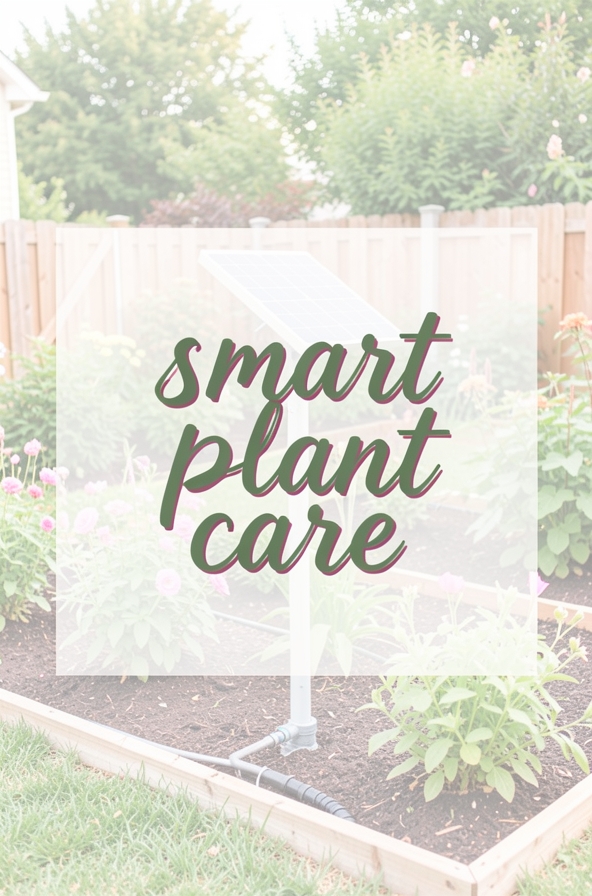
Welcome to the world of smart gardening! If you’re just starting out, the idea of adding high‑tech gadgets to your garden might feel a bit overwhelming. The good news is that modern tools are designed to be intuitive, affordable, and incredibly helpful for beginners. Below, we’ll explore the Top 10 Smart Gardening Tools You Need to make planting, watering, and monitoring a breeze. Each tool is broken down with practical tips and common mistakes to avoid, so you can get the most out of your green space without the guesswork.
1. Smart Soil Moisture Sensor
Keeping soil at the right moisture level is the foundation of healthy plants. A smart soil moisture sensor plugs into a Wi‑Fi hub or your phone and sends real‑time data about water levels, temperature, and even pH.
Practical Tips
- Place the sensor at root depth (usually 2‑4 inches for most vegetables).
- Calibrate the sensor according to the manufacturer’s instructions for accurate readings.
- Set up alerts on your phone so you’re notified when the soil gets too dry or too wet.
Common Mistakes
- Leaving the sensor on the surface—this gives a false reading and can lead to over‑watering.
- Ignoring the sensor’s battery life; replace or recharge it as needed.
- Relying solely on the sensor without checking the plant’s actual condition.
2. Wi‑Fi Controlled Irrigation System
This system lets you schedule watering cycles from your smartphone, adjusting flow based on weather forecasts and soil data from your moisture sensor.
Practical Tips
- Map out your garden zones and assign each zone a separate valve for precise control.
- Use the “rain delay” feature during wet weather to conserve water.
- Start with a conservative schedule and adjust based on plant response.
Common Mistakes
- Setting the same watering schedule for all plants—different species have varying water needs.
- Forgetting to flush the system annually to prevent clogging.
- Overlooking the need for a backflow preventer, which can protect your home’s water supply.
3. Smart Plant Light (LED Grow Light)
Indoor gardeners or those with low‑light areas can benefit from LED grow lights that adjust spectrum and intensity automatically.
Practical Tips
- Position the light 12‑24 inches above seedlings for optimal growth.
- Use the “day/night” cycle feature to mimic natural sunlight patterns.
- Choose a model with a built‑in timer to simplify daily operation.
Common Mistakes
- Placing the light too close, causing leaf burn.
- Running the light continuously—plants need a dark period to rest.
- Neglecting to clean the light’s surface; dust reduces efficiency.
4. Bluetooth Plant Identifier
Simply snap a photo of a leaf, and the app tells you the plant’s name, care requirements, and common pests.
Practical Tips
- Take clear, well‑lit photos for the most accurate identification.
- Cross‑reference the app’s care guide with local climate data.
- Save identified plants in a personal garden journal within the app.
Common Mistakes
- Relying on the app for 100% accurate identification—some species look similar.
- Ignoring the app’s suggested soil type or sunlight needs.
- Not updating the app regularly; newer versions improve accuracy.
5. Automated Weed Detector & Remover
Using AI vision, this handheld device scans the soil, highlights weeds, and either alerts you or activates a small mechanical removal tool.
Practical Tips
- Run the detector after a light rain when weeds are easier to pull.
- Follow the device’s suggested removal path to avoid missing hidden weeds.
- Combine with mulching to reduce future weed growth.
Common Mistakes
- Skipping calibration; the device may mistake seedlings for weeds.
- Using the tool on very compacted soil—performance drops.
- Relying solely on the device without regular visual checks.
6. Smart Compost Bin
This bin monitors temperature, moisture, and oxygen levels, sending alerts when it’s time to turn the compost or add water.
Practical Tips
- Balance green (kitchen scraps) and brown (dry leaves) materials for optimal decomposition.
- Keep the bin in a shaded area to maintain steady temperature.
- Turn the compost when the app notifies you to speed up the process.
Common Mistakes
- Adding too many meat or dairy items—these can cause odors and attract pests.
- Neglecting moisture control; dry compost stalls, while overly wet compost smells.
- Leaving the bin sealed for too long—oxygen is essential for aerobic decomposition.
7. Solar-Powered Garden Camera
Monitor your garden’s health, wildlife visitors, and security with a weather‑proof camera that charges via a small solar panel.
Practical Tips
Common Mistakes
- Placing the solar panel in a shaded spot—insufficient charging leads to downtime.
- Setting the camera’s resolution too high, which can fill storage quickly.
- Ignoring the camera’s firmware updates; they often improve detection accuracy.
8. Smart Fertilizer Dispenser
This device connects to your soil sensor and automatically releases the right amount of liquid fertilizer based on real‑time nutrient data.
Practical Tips
- Use the recommended fertilizer type for your plant species.
- Schedule a low‑dose application during the early growth stage.
- Check the dispenser’s tubing for clogs before each season.
Common Mistakes
- Over‑fertilizing—excess nutrients can burn roots and harm beneficial microbes.
- Skipping the calibration step; the dispenser may misread soil nutrient levels.
- Relying on the device without occasional manual soil tests for verification.
9. Voice‑Activated Garden Assistant
Integrate your garden tools with a smart speaker (like Alexa or Google Assistant) to ask for watering schedules, pest alerts, or plant care tips hands‑free.
Practical Tips
- Set up custom routines, such as “Good morning garden check,” to get a daily summary.
- Link the assistant to multiple devices (sensor, irrigation, lights) for unified control.
- Use voice commands for quick adjustments, like “Increase watering by 10% for zone 2.”
Common Mistakes
- Overloading the assistant with too many commands at once; break them into simple steps.
- Neglecting privacy settings—ensure your data is stored securely.
- Forgetting to update device firmware, which can cause connectivity issues.
10. Smart Garden Planner App
Plan planting dates, crop rotations, and companion planting using an app that syncs with your local climate data and the other smart tools in your garden.
Practical Tips
- Enter your hardiness zone to receive region‑specific planting windows.
- Use the app’s calendar feature to track sowing, transplanting, and harvest dates.
- Take advantage of the companion‑planting suggestions to improve yield and pest resistance.
Common Mistakes
- Ignoring the app’s suggested planting times—local microclimates can vary.
- Not updating the garden map after adding new beds or containers.
- Relying solely on the app for pest identification; a physical inspection is still essential.
Conclusion
Integrating technology into gardening doesn’t have to be intimidating. By starting with the Top 10 Smart Gardening Tools You Need, you’ll gain precise control over watering, lighting, soil health, and more—all while saving time and reducing guesswork. Remember to pair each gadget with a little hands‑on observation, and you’ll quickly see healthier plants, higher yields, and a more enjoyable gardening experience. Happy planting!